Prompt Description
Prompt Description
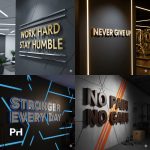
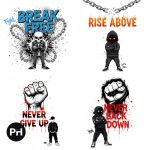
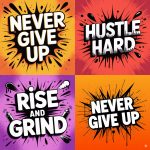
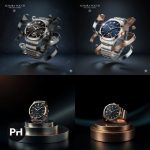
This Hyper-Realistic 3D Product Ad Banner AI Prompt creates premium, photorealistic advertisement visuals with outstanding commercial appeal. Particularly, it displays products in contemporary, sophisticated layouts that engage viewers immediately. The template excels for premium brands, tech companies, beauty products, and apparel businesses. Similarly, beverage brands leverage its powerful visual capabilities effectively. Moreover, the design incorporates cinematic lighting that accentuates product details magnificently. Simultaneously, polished reflections provide luxurious depth to designs. Additionally, enchanting particle effects including shimmer, mist, and luminous sparks generate captivating visual narratives. Consequently, products achieve remarkable prominence within saturated marketplaces.
Furthermore, this Hyper-Realistic 3D Product Ad Banner AI Prompt provides outstanding adaptability for varied marketing requirements. The template positions products within moody, atmospheric backgrounds strategically. Moreover, intelligent lighting frameworks illuminate surfaces and finishes spectacularly. Additionally, striking golden typography combined with refined subtitles amplify brand recognition dramatically. Simultaneously, purposeful call-to-action elements and palette choices ensure powerful visual impact and user engagement. Therefore, marketers can modify copy, labels, hues, and animations effortlessly to reflect brand identity. Hence, this tool becomes indispensable for crafting homepage headers, product showcases, and digital campaigns. Moreover, it works flawlessly with MidJourney, ChatGPT, and similar generative platforms. Ultimately, it produces cinematic, professional results that embody innovation and contemporary aesthetic standards.
Instructions / How to Use Prompt
Open your AI tool like Midjourney (for image generation) or ChatGPT (to refine this prompt).
Replace placeholders like [Product Name], [Headline Text], [Subheading Text], [CTA Text], [Primary Color], and [Secondary Color] with your actual product details.
Use this prompt in Midjourney using /imagine or paste it into your AI image generator that supports photorealistic or 3D visuals.
Experiment with rendering styles (e.g., “Octane Render,” “Unreal Engine,” or “Cinematic Lighting”) to refine realism.
Ensure proper styling of text by adding instructions like “bold,” “gold metallic,” or “glow effect” in the prompt.
Once generated, use the image in your banner designs, ad creatives, landing pages, or print materials.
[PHONE_MODEL], [PHONE_COLOR], [BACKGROUND_COLOR], [KEY_FEATURE], [TAGLINE], [PRICE], [EMI_AMOUNT], and [ACCENT_COLOR].
Paste the customized prompt into your preferred AI image generator (e.g., Midjourney, DALL·E, Ideogram, etc.).
Select an art style like studio photography, 3D render, or product mockup for best results.
Generate and tweak if needed—adjust angles, lighting, or elements to better match your brand identity
Prompt Text
Projected Output